單元課程3:矩形圓形設計製作應用
一、矩形繪圖基本介紹與應用
1.參考指令:rect(x, y, width,height);
2.在畫布上繪製一個矩形。矩形是四邊封閉的形狀,每個角度均為90度。
內定前兩個參數設置左上角的位置,第三個參數設置寬度,第四個參數設置高度。
可以使用rectMode()函數更改解釋這些參數的方式。如果指定了第五,第六,
第七和第八個參數,則分別確定左上角,右上角,右下角和左下角的拐角半徑。
3.相關指令參考
(1)外框顏色:stroke()
(2)外框大小:strokeWeight()
(3)矩形模式:rectMode()
(4)設定座標:translate(x,y)
(5)填色設定:fill()
(6)角度模式:angleMode()
(7)旋轉角度:rotate()
4.矩形繪圖案例設計參考
(1)基本設計
A.即時編輯測試:https://editor.p5js.org/hswang/sketches/bFHiO_qXE
B.設計成果檢視:https://editor.p5js.org/hswang/full/bFHiO_qXE
|
function setup() { createCanvas(400, 400); } function draw() { background(220); stroke(220,0,220); strokeWeight(4); rectMode(CENTER); translate(100,100); fill(255,0,0); rect(100,100,300,300); fill(0,255,0); rect(100,100,200,200); fill(0,0,255); rect(100,100,100,100); } |
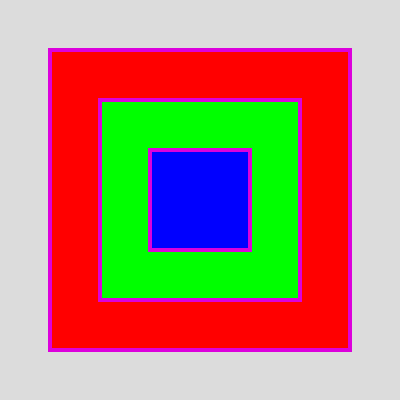 |
(2)應用設計
A.即時編輯測試:https://editor.p5js.org/hswang/sketches/FLklEZmpb
B.設計成果檢視:https://editor.p5js.org/hswang/full/FLklEZmpb
| let angle=0; function setup() { createCanvas(400, 400); angleMode(DEGREES); } function draw() { background(220); translate(200,200); rotate(angle); stroke(220,0,220); strokeWeight(4); rectMode(CENTER); fill(255,0,0); rect(0,0,150,150); fill(0,255,0); rect(0,0,100,100); fill(0,0,255); rect(0,0,50,50); angle = angle +1; } |
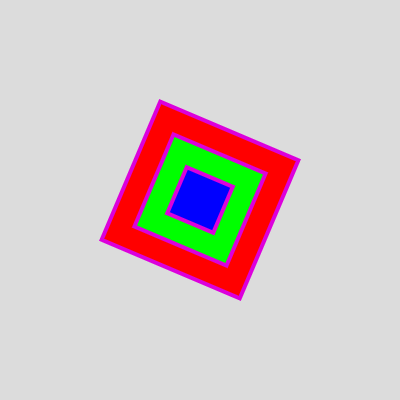 |
二、圓形繪圖基本介紹與應用
1.參考指令:ellipse(x,y,width,height)
2.
在畫布上繪製一個橢圓,前兩個參數設置橢圓中心的位置,第三個和第四個參數設置形狀的寬度和高度。
如果未指定高度,則width和height均使用width的值。如果指定負高度或寬度,則取絕對值。
寬度和高度相等的橢圓是一個圓,可以使用ellipseMode()函數更改原點。
3.相關指令參考
(1)顏色設定:stroke()
(2)大小設定:strokeWeight()
(3)角度模式:angleMode(DEGREES)
(4)轉換原點:ranslate()
4.橢圓繪圖案例設計
(1)基本設計
A.即時編輯測試:https://editor.p5js.org/hswang/sketches/Tby5tFvEG
B.設計成果檢視:https://editor.p5js.org/hswang/full/Tby5tFvEG
| function setup() { createCanvas(300, 300); } function draw() { background(220); fill(220,0,220); ellipse(50, 50, 50, 80); //圓心 (50, 50), 寬高 (50, 80) fill(0,220,220); ellipse(150, 50, 80, 50); //圓心 (150, 50), 寬高 (80, 50) fill(0,0,220); ellipse(250, 50, 80, 80); //寬=高變成正圓形 //fill(0,220,0); noFill(); ellipse(150, 200, 200, 200); ellipse(150, 200, 150, 150); ellipse(150, 200, 100, 100); ellipse(150, 200, 50, 50); } |
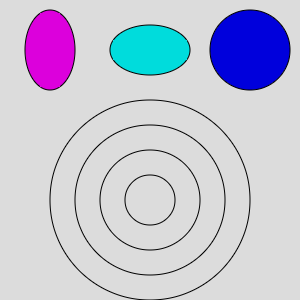 |
(2)應用設計(參考來源:https://yhhuang1966.blogspot.com/2021/04/p5js_23.html )
A.即時編輯測試:https://editor.p5js.org/hswang/sketches/Bgs53WoY3
B.設計成果檢視:https://editor.p5js.org/hswang/full/Bgs53WoY3
| function setup() { createCanvas(400, 400); background('white'); } function draw() { for(var x=20; x<=width-20; x += 20){ for(var y=20; y<=height-20; y +=20){ stroke(0, 100, 202, 50); //設定線條透明度避免右半面覆蓋圓之效應太明顯 line(x, y, width/2, height/2) //畫布中心至圓心之直線 stroke(220,0,200); fill(255,255,255,10); ellipse(x, y, 10,10); } } } |
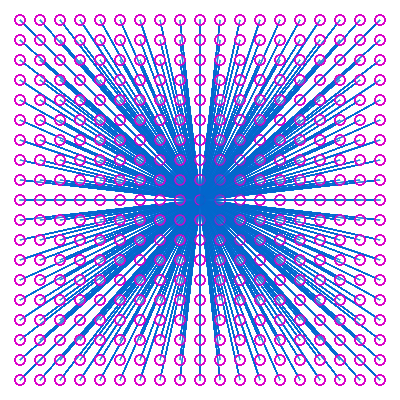 |